
Shopify email marketing agency
Connect Shopify to an email strategy with validated data, markets and automations before launch.
 By Dídac Anton
Shopify email marketing starts with the work your store needs
A store can have forms, newsletters and reminders running without a coherent system. Problems appear when two apps send the same welcome, buyers continue receiving cart recovery, or nobody knows which field decides the language. Identify those decisions and their owners before installing another tool.
Separate acquisition, campaigns, automations and essential order communications in the brief. Each needs an owner, a data source and a test. The ecommerce email marketing guide connects these tasks with the buying journey.
Write requirements using your real operation: markets, catalogue, promotions, languages, rate of change and available team. Then compare how each option handles them. An advertised feature count does not explain the maintenance work involved.
Shopify Messaging, Shopify Flow and email platforms
Shopify Messaging includes marketing automations. Its documentation distinguishes browse, cart and checkout abandonment, alongside welcome and post-purchase. Check the available template and channel for each case.
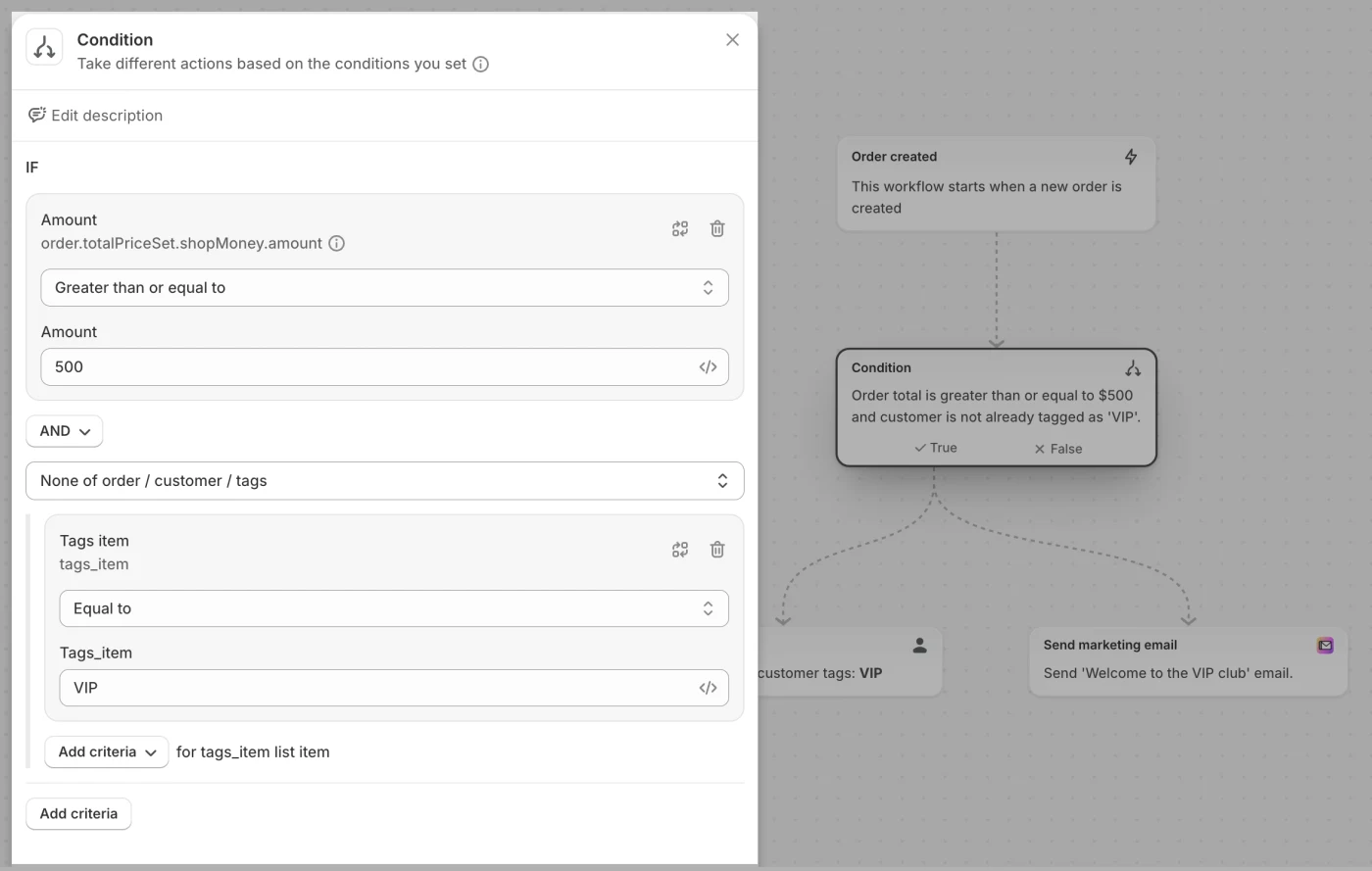
Shopify Flow automates processes using events, conditions and actions within the store and across apps. Some actions and limits depend on the plan; verify each workflow’s requirements.
This matrix proposes how to assign responsibilities. It is not an exhaustive feature comparison or universal recommendation:
| Task | What to evaluate | Decision test |
|---|---|---|
| Product campaign | Editor, recipients, review and scheduling. | Prepare a representative campaign with the team that will maintain it. |
| Operational rule | Event, condition, action and result log. | Reproduce a qualifying case and an excluded case. |
| Message sequence | Entry, waits, exclusions, content and end. | Test a purchase that occurs while the contact is waiting. |
| Order notification | Responsible system and existing templates. | Place an order and verify one communication of each required type. |
| Reporting | Sales definitions, attribution and costs. | Reconcile a period against individual store orders. |
To assess an external platform, read the guides to Klaviyo, Mailchimp and ActiveCampaign. Compare data, journeys and maintenance against the same brief instead of combining tools simply to accumulate features.
Check the data before segmenting
Klaviyo’s Shopify reference distinguishes order, product and fulfilment metrics. An order placed is not an order delivered; choose the event the message actually needs.
Map customer identifier, email, products, date, status, currency and language. Record each field’s origin and update behaviour. These are data points to verify for your case, not a claim that every connector transfers them identically.
For a fictional store selling in Spain and France, shipping country does not necessarily establish preferred language. A gift purchase may not describe the buyer’s own interests either. Segmentation should distinguish confirmed data from inference and provide a fallback for missing information.
Compare a new order, cancellation, return and update to an existing order. Check imported history separately from purchases after connection. Totals can look plausible while a particular set of records remains incomplete.
Collect preferences that can be verified
Shopify supports subscriptions through forms and checkout options. Its documentation separates contact information from marketing acceptance; review how that choice is stored in your setup.
Before publishing a form, specify what the person will receive and how the promise will be fulfilled. A discount, guide and restock notification set different expectations. Welcome content should match that context rather than assume every contact came through the same offer.
Test signup and unsubscribe with a controlled contact at every source used. If preferences sync between apps, examine update direction and conflicting values. Do not reactivate contacts merely to make system totals match.
Keep an inventory of live forms, placements, languages and editors. After changing the Shopify theme, recheck acquisition and affected connections. A redesign should not silently stop recording signups or change the promise without updating the sequence.
Prioritise journeys and prevent duplicate messages
First map the communications a buyer already receives, including apps, order notices and scheduled campaigns. Separate teams may prepare individually sound messages that become repetitive when activated together.
For abandoned cart and checkout, document the available event, route back to purchase and exit after ordering. For post-purchase, determine whether content needs confirmed delivery or can arrive earlier. A fixed delay should not stand in for an unverified fact.
Automation planning should resolve priorities when welcome, recovery and campaigns coincide. For every message, write the question it answers, who should not receive it and when it stops being relevant.
Avoid disabling necessary notifications during reorganisation before their replacement has been validated. The communication map assigns clear responsibility and verifies the whole journey, including customer support.
Tests for a store selling across markets
A template may work in one market and fail in another because of currency, language, product or destination link. This proposed acceptance checklist should reflect the actual catalogue and markets, without inventing combinations the store never uses.
- A test purchase for every language and currency combination actually used.
- An existing customer buying again and a first-time signup.
- A product with variants and an item becoming unavailable before sending.
- A valid promotion, expired promotion and promotion inapplicable to the product.
- A purchase after entering recovery.
- Unsubscribing during a wait and updating preferences.
- Mobile reading, blocked images and a missing customer name.
- A return link that retains the intended context and opens the correct page.
- A cancellation or return without contradictory communications.
Keep expected and observed outcomes, the owner and tested version. Data failures and content failures need different fixes. Separating them prevents rewriting copy when the integration is at fault.
What the team should remain able to control
An email marketing service should specify delivery and maintenance: forms, campaigns, sequences, templates, data sources and monitoring. The store owns product context, commercial terms and content approval.
Use the metrics and attribution guide to interpret results. Compare equivalent periods and document how each tool assigns orders. Adding attributed sales across reports does not resolve discrepancies: the same purchase can appear in more than one system.
Include margin, returns, unsubscribes and incidents. More email-associated sales may also depend on discounts or increased sending. For an experiment, decide beforehand what outcome would justify continuing or stopping.
Leave an inventory of owners, access, app costs and tests to repeat after changes. The system should remain understandable when the catalogue, theme or person running it changes.
Sources and further reading
AI-assisted translation
Article by Dídac Anton. The English, German, Dutch and French versions were translated from Spanish with the help of AI.
Read the Spanish originalRecommended articles

Klaviyo email marketing agency
Connect Klaviyo to your store and turn customer data into segments, flows and campaigns with a clearly defined scope.

Ecommerce email marketing guide
A practical ecommerce email guide: what to build first, how the pieces connect and what to measure at each stage.

ActiveCampaign email marketing agency
Build ActiveCampaign automations around your ecommerce data and processes, with clear responsibilities.